Deadlock is the latest title from Valve currently in Early Access and it already made a name for itself, climbing the number of players with over 100,000 every day on Steam. The hero shooter mechanics mixed in a MOBA playstyle surprisingly blend together well, allowing players to experience a new genre of casual and competitive game.
The new players joining the Deadlock scene might find it a bit difficult to get a grasp on the heroes’ abilities. Having a high ground in Deadlock can surely help you take lane controls fairly easily and win your enemy fights. For this, you can check out our guide on how to mantle in Deadlock.
Quickbuy in Deadlock is a major quality-of-life update. Deadlock continues to receive new smaller and major patches to keep on polishing in early access. There’s a new feature in the game called Quickbuy. This new buy system completely changes how Deadlock plays and how players interact with the item shop. It’s easier to plan out your builds and maximize performance with Quickbuy.
Here’s everything you need to know about Quickbuy in Deadlock and how the new mechanics work.
How to use Quickbuy in Deadlock
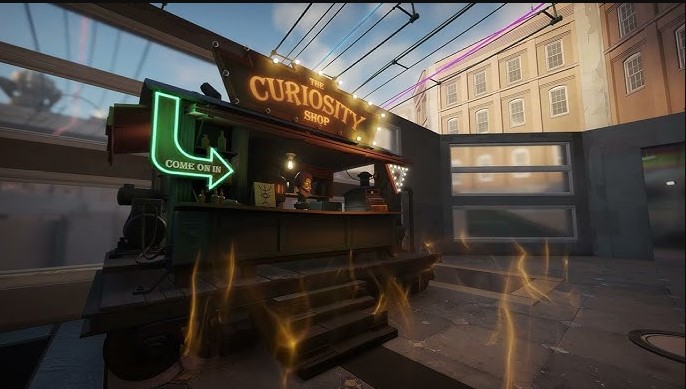
Quickbuy is a new feature in Deadlock that allows players to buy items quickly by queuing them. This helps in buying the selected items from any Curiosity shop on the map. To use Quickbuy you need to go to the build screen in the shop and select all the items you want to buy in a sequence.

The selected items will also be available to see on the bottom left of your screen in the order you’ve selected. Now, you need to go back to the shop when you have enough credits to purchase an item. You will instantly get the item when you have the credits for it. This helps a lot while buying items and upgrades.
Helping you get back into the battle fast and help your teammates push lanes. However, you have to carefully select your desired items as you won’t be able to get a full refund for items with Quickbuy.
Quickbuy was added to Deadlock with November 7 patch notes. It’s a good move by Valve helping players to focus more on holding and pushing their lanes. While minimizing time spent on buying items and upgrades from the Curiosity Shops.