How to Cancel Fortnite Crew Subscription
Complete Platform-Specific Cancellation Guide

Discover everything you need to know about the Fortnite Crew and which steps are required to cancel this subscription. Before we start, if you are looking to improve your gameplay in Fortnite then Immortalboost is the right place for you as we are offering multiple boosting services for Fortnite.
Fortnite Crew in Fortnite is basically a monthly subscription service, granting players exclusive in-game content and benefits, including the Battle Pass, V-Bucks, and other perks. Subscribers can gain access to the current Battle Pass, 1,000 V-Bucks, a monthly exclusive Crew Pack outfit bundle, and other bonus items by spending $11.99 per month.
Most players don’t have enough money to spend on this subscription, so they choose to cancel it to prevent future charges. Each platform has different steps to cancel the Fortnite Crew. In this guide, we’ll discuss how to cancel Fortnite Crew on Xbox, PS, Xbox Series, Switch on computer, Xbox, Pc, PS4, PS5.



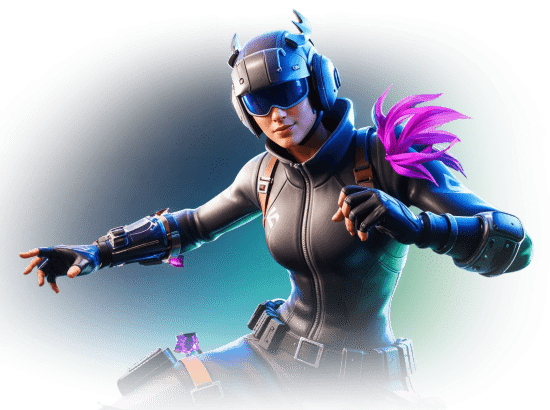
What is Fortnite Crew
Fortnite Crew is the ultimate subscription for dedicated players. As a member, you’ll get exclusive outfits, back blings, and pickaxes every month that no one else can buy. Every month, you’ll receive 1,000 V-Bucks and instant access to the current battle pass.
🌟 Fortnite Crew Benefits
💰 Monthly V-Bucks
Receive 1,000 V-Bucks every month to spend in the Item Shop on cosmetics, emotes, and other in-game items.
🎮 Battle Pass Access
Get instant access to the current season’s Battle Pass, including all tiers, skins, and exclusive rewards.
👑 Exclusive Cosmetics
Monthly exclusive Crew Pack outfit bundle with unique skins, back blings, and pickaxes only for subscribers.
🚀 Rocket League Premium
Access to Rocket Pass Premium in Rocket League, plus LEGO Pass and Music Pass from December 2024.
Subscription Details
Fortnite crew renews monthly, but you can cancel anytime. Plus, you keep all rewards you’ve claimed for fans of Fortnite who love exclusive cosmetics and V-Bucks. If you regularly purchase each season’s battle pass and spend money on V-Bucks, the subscription might offer a better value.
Examples of Exclusive Crew Skins:
Cancel Fortnite Crew on PlayStation
Cancellation of the Fortnite crew on PS4 and PS5 can be done via the PlayStation Store. You can access this from a web browser or from the console.
Cancellation Steps:
- Move to the Settings on your PlayStation console
- Go to the Payment and Subscriptions after selecting Users and Accounts
- Now, select the Subscriptions to find Fortnite Crew from the list
- Confirm your decision after selecting the Cancel Subscription option
Cancel Fortnite Crew on Xbox
Microsoft’s online services manage the Fortnite Crew subscriptions for Xbox users. Players can cancel the subscription by logging into their Microsoft account.
Cancellation Steps:
- Navigate the web browser and move to account.microsoft.com
- You need to log in with the Microsoft account that you use to link it with the Fortnite Crew subscription
- Select the Services & Subscriptions
- Now, find the Fortnite Crew from the pop-up list
- Choose the Manage option and then select Cancel Subscription
- All you need to do is confirm the cancellation
Cancel Fortnite Crew on Nintendo Switch
Open the Nintendo eShop to cancel their Fortnite Crew subscription for the Nintendo Switch. Doing so will stop the future payments.
Cancellation Steps:
- Navigate to the Nintendo eShop on the Switch console
- Tap on your profile icon available in the top-right corner of the screen
- Choose Subscriptions to find Fortnite Crew in the list
- Confirm the change after turning off Automatic Renewal
Cancel Fortnite Crew on PC and Android
The process of cancelling the Fortnite Crew is managed through their Epic Games account. Only the players who are PC players and Android users and download the game directly from Epic Games can use this method.
Cancellation Steps:
- Open a web browser and visit www.epicgames.com
- You need to log in to your Epic Games account
- Press the LMB on Account Settings and click on the Subscriptions tab
- Choose Cancel Subscription and locate the Fortnite Crew
- Stop future charges by confirming the cancellation
Cancel Fortnite Crew on iOS Devices
Open Apple’s system settings to manage your subscription due to the removal of Fortnite from the App Store. The process of cancelling the subscription is similar to the other Apple subscriptions.
Cancellation Steps:
- Move to the Settings app on your iOS device
- Press the Apple ID and choose the Subscriptions option
- Locate the Fortnite Crew from the list and select Cancel Subscription
- Confirming the cancellation will make you unsubscribe, and there will be no future charges
Effects of Cancelling Fortnite Crew
What You Keep
Players will retain all the rewards they received while subscribed after canceling the Fortnite Crew subscription. Skins, V-Bucks, and any Battle Pass unlocks are included in this.
What You Lose
After cancelling the subscription, players will not gain next month’s content. You need to cancel the subscription before the next renewal date, allowing you to avoid being charged for an additional month.
Billing Cycle
Re-Subscribing to Fortnite Crew
Players can resubscribe whenever they desire. The process is the same as when you subscribe for the first time. This allows you to gain access to immediate access to the current month’s rewards upon rejoining.
Re-Subscription Process
How to Re-Subscribe:
- Make sure your previous Fortnite Crew subscription is fully canceled
- Open the Fortnite game on your chosen platform
- Go to the Battle Pass tab, usually located at the top of the screen
- Click on the Fortnite Crew option
- Follow the on-screen prompts to resubscribe to the Fortnite Crew
Confirmation of Cancellation
To confirm that you’ve done that, you should see two things. You should see a button that says “Rejoin Crew”, letting you know that yes, you’ve canceled. Secondly, you will see something that says your membership will become inactive on a specific date.