


Quick Answer: Where Winds Meet character creation follows a seven-step flow: gender → base preset (Realistic, Elegant, or Stylized) → detailed sculpting → styling → name → Aspiration Talent → confirm. Both Aspiration Talents (Drunken Precision and Rhetoric Edge) only affect minor exploration mini-games, so pick either. You can fully re-customize your character later using a Water Lady Script (200 Echo Jades) and import community designs via Character Codes or QR codes. Each NetEase account is limited to one character — multiple characters require waiting for the v1.4 patch (already live in China) or creating a new account.
Where Winds Meet has one of the most detailed character creators in any modern action RPG — and one of the most confusing for new players. Between the photo upload feature, AI voice scanning, sliders for facial landmarks most games skip entirely, and a one-character-per-account limit that’s blindsided thousands of players, the creator can swallow your first hour of playtime if you go in blind.
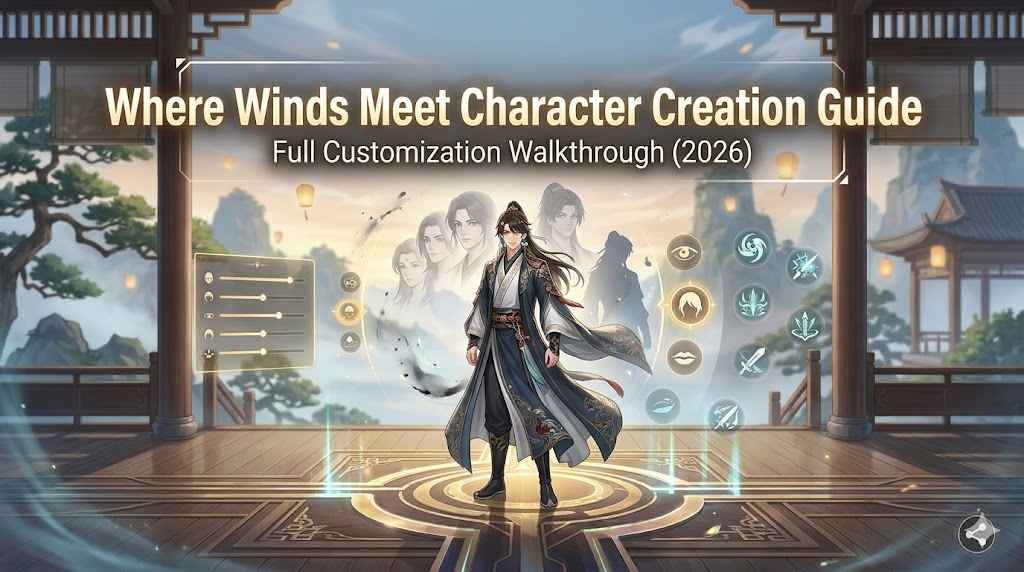
This Where Winds Meet character creation guide breaks down every step of the flow, every choice that actually matters (and the ones that don’t), and the post-creation tools — Water Lady Script, character codes, QR sharing — that let you redesign your character without rerolling.
Skip the Grind With ImmortalBoost Where Winds Meet Services
Spent 90 minutes perfecting your character only to hit a wall on combat school progression, weapon unlocks, or PvP rank? ImmortalBoost’s Where Winds Meet Services can fast-track your account so you spend more time on the parts of the game you actually love — character expression, exploration, and high-tier combat.
Where Winds Meet Character Creation at a Glance
| Feature | Details |
|---|---|
| Creation Length | Roughly 30–90 minutes for a custom build |
| Character Limit | 1 per NetEase/Steam account (v1.4 expands to 6 in China) |
| Free Re-Customization | One free full appearance reset after creation |
| Re-Customization Cost | 200 Echo Jades for a Water Lady Script (unlimited purchases) |
| Smart Features | Photo Upload (face generation), Voice Scan (currently bugged) |
| Sharing | Character Codes + QR codes (community preset import) |
| Gender | Male or Female (foundational, harder to change) |
| Aspiration Talents | Drunken Precision OR Rhetoric Edge (cosmetic — pick either) |
| Class System | None — combat is shaped by weapons + martial schools |
Bottom line: Don’t stress the one-time creation. Where Winds Meet gives you a free re-customization plus permanent paid resets via Water Lady Script (200 Echo Jades). The only choice you can’t easily undo is gender — and even that won’t be permanent once the multi-character update arrives globally.
The 7-Step Character Creation Flow
Where Winds Meet opens with a brief prologue starring Jiang Yan, a pre-established character. After the prologue ends, you’re given full control over your own character through the following flow:
- Gender — Male or Female
- Base Preset — Realistic, Elegant, or Stylized
- Detailed Sculpting — face, body, anatomy
- Styling — hair, makeup, accessories
- Naming — your in-game display name
- Aspiration Talent — Drunken Precision or Rhetoric Edge
- Confirm — enter the world
You can skip any optional sub-step (eyebrow shape, jaw asymmetry, etc.) and return to it later via the Appearance sub-menu. Real-time lighting and pose previews update as you adjust sliders so the in-game character matches what you see in the editor.
Choosing Gender and Base Preset
Step 1: Gender — Male or Female
Treat gender as a foundational identity choice. While the creator gives you almost unlimited freedom to adjust everything else, gender ties into outfit options, certain cosmetics, and animations. Changing gender after creation requires creating a new account until the multi-character update lands globally.
Step 2: Base Preset — Three Aesthetic Directions
After picking gender, you’ll choose from three preset templates that determine your starting aesthetic:
| Preset | Style | Best For |
|---|---|---|
| Realistic | Photorealistic facial proportions, subtle features | Players who want a recognizable face or plan to import a photo |
| Elegant | Stylized “immortal beauty” — clean lines, refined features | Players matching the game’s Wuxia art direction |
| Stylized | Sharper, more anime-influenced features | Players wanting a fantasy or character-inspired look |
Pro Tip: Start with Realistic or Elegant if you want a fast workflow — these presets have the best slider baselines, so you’ll spend less time fixing odd starting proportions. Sculpting from a Stylized preset takes longer because the baseline already pushes features to extremes.
Detailed Face and Body Sculpting
This is the standout feature of Where Winds Meet’s creator. Beyond the standard “eye size” and “nose width” sliders most games offer, Where Winds Meet exposes anatomical landmarks most creators completely skip.
Major Face Sliders
- Face type and overall shape — round, square, heart, oval, diamond
- Apparent age — youthful through mature
- Skin tone and complexion — wide range from pale to deep
- Glabella — the area between your brows
- Philtrum — the groove from nose to upper lip
- Nasal columella — the strip between your nostrils
- Brow arches — height, angle, sharpness
- Cheekbone angle — flat, defined, sharp
- Jaw contour — width, length, asymmetry
Sub-Editor Sliders
Each major facial feature opens a dedicated sub-editor with its own depth:
- Eyes — shape, angle, width, tilt, height, asymmetry
- Brows — shape, position, density
- Nose — bridge, tip, nostril width, length
- Lips — fullness, shape, definition, asymmetry
Body Sculpting
Body sliders cover overall height, frame width, shoulder slope, posture, and individual limb proportions. Real-time previews show your character in motion (idle pose, combat stance) so you can see how the proportions translate into gameplay.
Important: The community has noted that Where Winds Meet’s creator leans toward flawless, idealized faces by default — this is intentional based on the game’s Chinese Wuxia art direction. If you want a grittier or aged character, plan to spend extra time pulling sliders to non-default values.
Smart Customization: Photo Upload and Voice Scan {#smart-customization}
Where Winds Meet’s headline feature is Smart Customization — AI-driven tools that try to generate your character based on real-world inputs.
Photo Upload — Face Generation
Upload a photo and the game generates a starting face based on your image. The system is picky about requirements:
| Requirement | Specification |
|---|---|
| Style | Passport-style, front-facing selfie |
| Glasses | Must be removed |
| Lighting | Clear, even lighting (no harsh shadows) |
| File Type | JPG or PNG |
| File Size | Approximately 300–400 KB |
| Background | Plain or neutral (busy backgrounds confuse the AI) |
If the upload fails with “photo doesn’t meet requirements,” the most common fixes are:
- Re-upload several times — many players report success on the 5th to 10th attempt even with valid photos
- Crop tighter to the face only
- Resize the file to land closer to 350 KB
- Remove any background patterns
Voice Scan — Currently Bugged
The voice scan feature lets you record your voice to generate a character voice profile. As of May 2026, this feature is still bugged — most players report it hangs on “Under review” indefinitely. Skip this option until NetEase patches it; you can still pick from preset voice options.
Reality check: Players have used the photo upload to recreate everyone from John Wick to Sephiroth to SpongeBob. The AI is more flexible than the requirements suggest — if your first upload fails, try smaller or sharper crops before giving up.
Hair, Makeup, and Accessories {#styling}
After sculpting comes the styling phase — hair, makeup, and accessories.
Hair
- Default hair color is black for both male and female characters
- Hairstyle is fully customizable during creation
- Only facial hair color can be changed at creation time
- Hair color changes require dyes purchased from the in-game cosmetic shop
- New hairstyles and unique cuts can be unlocked via the Shop in the Menu
Makeup
Makeup options include eyeshadow, blush, lip color, and contouring. Note that some console players have reported the makeup feature breaking on launch — if your makeup doesn’t apply correctly, restart the editor or skip and apply post-creation.
Accessories
Accessories like earrings, hair ornaments, and facial markings are layered on top of your base look. Most customization slots accept multiple items, so you can stack pieces for a richer aesthetic.
Naming Your Character
Your character’s name appears to other players in multiplayer modes and social interactions. The naming system filters inappropriate content but otherwise allows creative freedom.
Want to change your name later? You can do that in the Profile Menu without rebuilding your character — name changes are not tied to the Water Lady Script system.
Aspiration Talents Explained
This is one of the most over-explained choices in Where Winds Meet. The truth: it doesn’t matter which one you pick.
Drunken Precision vs Rhetoric Edge
| Talent | Affects | Real-World Impact |
|---|---|---|
| Drunken Precision | Pitch Pot mini-game | Almost zero — minor stat boost in an exploration mini-game |
| Rhetoric Edge | Gift of the Gab mini-game | Almost zero — minor stat boost in an exploration mini-game |
Both Aspirations only affect minor exploration mini-games (Pitch Pot and Gift of the Gab). Neither one shapes your combat, build, weapon access, story choices, or skill tree.
Just pick one. Players who agonize over this decision are wasting time. If you really want to maximize aesthetic match, pick whichever sounds cooler to you.
Re-Customizing After Creation
Free One-Time Re-Customization
The current build of Where Winds Meet offers one free full appearance reset after creation. This is invaluable — your character looks different in cutscene lighting and combat zoom than in the editor, so use this free reset after seeing your character in 3–5 hours of actual gameplay, not immediately.
Water Lady Script — Permanent Re-Customization
After your free reset, you can buy a Water Lady Script for 200 Echo Jades at any time to fully redesign your character.
| Item | Cost | Limit |
|---|---|---|
| Water Lady Script | 200 Echo Jades | Unlimited purchases |
There’s no purchase cap — you can re-customize as many times as you can afford Water Lady Scripts. Echo Jades are earned through gameplay or purchased with real currency.
What You Can Change
- ✅ Face sculpting, body proportions, hair, makeup, accessories
- ✅ Name (changed separately via the Profile Menu — no script needed)
- ❌ Gender — cannot be changed without creating a new account
Character Codes and QR Sharing
Where Winds Meet’s character creator includes one of the most underused features in the game: shareable design codes.
How Character Codes Work
Every character preset can be exported as a shareable code or QR code. Other players can import these codes directly into their own creator to instantly load your design — including face, body, hair, and styling.
Why This Matters
- Skip 60+ minutes of sculpting by importing community designs
- Share your creations with friends or for online recognition
- Recreate famous characters — community codes exist for John Wick, Sephiroth, Tifa Lockhart, Kratos, Kanye West, and even SpongeBob
Where to Find Character Codes
The Where Winds Meet community has created hundreds of curated codes. Search for “Where Winds Meet character codes” on gaming sites or browse the community gallery in-game. Reputable sources include GamesRadar, Reddit’s WhereWindsMeet community, and dedicated Discord servers.
Pro Tip: Save multiple character codes for your own designs as a workaround for the one-character limit. You can swap between saved appearances using Water Lady Scripts without committing to one look forever.
The One-Character-Per-Account Problem
The biggest source of frustration for new Where Winds Meet players isn’t the creator — it’s the strict one-character-per-account limit at global launch.
Official Stance
Per the official Discord: “Currently, each account is limited to one character, and there is no option to delete or create a new character within the same account.”
What This Means in Practice
If you want to start over (different gender, fresh account, second character), your only options are:
| Option | Pros | Cons |
|---|---|---|
| Create a new NetEase or Steam account | Works immediately | Loses pre-registration rewards, Twitch drops, and progression |
| Delete account via NetEase launcher | Frees your slot | Requires payment screenshot verification — not worth the hassle |
| Wait for the multi-character update | Free, official, expands to 6 characters | No global ETA confirmed (live in China since v1.4) |
Workarounds That Actually Work
- Save character codes of multiple looks and swap via Water Lady Script
- Use the free re-customization strategically — wait until you’ve seen your character in real gameplay
- Watch for the multi-character patch — NetEase has confirmed it’s coming globally, just no firm date
Don’t agonize over your first character. The one-character limit is an active community frustration, and the multi-character update from China’s v1.4 patch is confirmed coming globally — just no firm date yet.
Final Tips for Where Winds Meet Character Creation
- Don’t overthink your first character — the free re-customization plus Water Lady Scripts means nothing is permanent except gender.
- Start from a Realistic or Elegant preset — they have the best slider baselines.
- Use community character codes if you want to skip the sculpting grind.
- Save your free re-customization until you’ve played 3–5 hours and seen your character in cutscenes.
- Pick either Aspiration Talent and move on — the choice is cosmetic.
- Skip the voice scan until it’s patched.
- Try photo uploads multiple times even if the first few fail.
- Plan around the one-character limit — save designs as character codes for future swaps.
The most important rule of Where Winds Meet character creation is patience over perfection. Your character will look different in the editor than in cutscenes, in combat, and at different times of day in-game — leave room to refine after you’ve seen them in motion.
Frequently Asked Questions
Can I change my gender after character creation in Where Winds Meet?
No. Gender cannot be changed through the standard re-customization or Water Lady Script. To change gender, you must create a new NetEase or Steam account or wait for the global multi-character update.
How much does it cost to re-customize my character?
Your first full re-customization is free. Every additional re-customization costs 200 Echo Jades for a Water Lady Script, with no purchase limit. Echo Jades can be earned through gameplay or bought with real currency.
Does the Aspiration Talent choice matter in Where Winds Meet?
No. Both Drunken Precision and Rhetoric Edge only affect minor exploration mini-games (Pitch Pot and Gift of the Gab). Neither shapes combat, builds, or story progression. Pick whichever sounds cooler.
Is the voice scan feature working in Where Winds Meet?
As of May 2026, the voice scan feature is bugged — it typically hangs on “Under review” indefinitely. Skip it for now and use preset voice options. Watch for patches.