


Quick Answer: To start playing Roblox Adopt Me as a beginner, hatch your free Starter Egg at the Nursery on Adoption Island, complete daily tasks from your Task Board to earn Bucks (the in-game currency), and progress through The Guide achievement system to unlock pets, houses, and rewards. Once you’ve earned enough Bucks, buy higher-rarity eggs at the Nursery, age your pets through the six growth stages, and pass the Trade License test at the Safety Hub to unlock trading for Ultra-Rare and Legendary pets.
Roblox Adopt Me is one of the most-played games on Roblox, with over 38 billion visits and millions of daily players trading pets, decorating homes, and chasing seasonal event rewards. But for new players, the open-ended design can feel overwhelming — there’s no clear path, no “right” first move, and dozens of mechanics layered on top of each other.
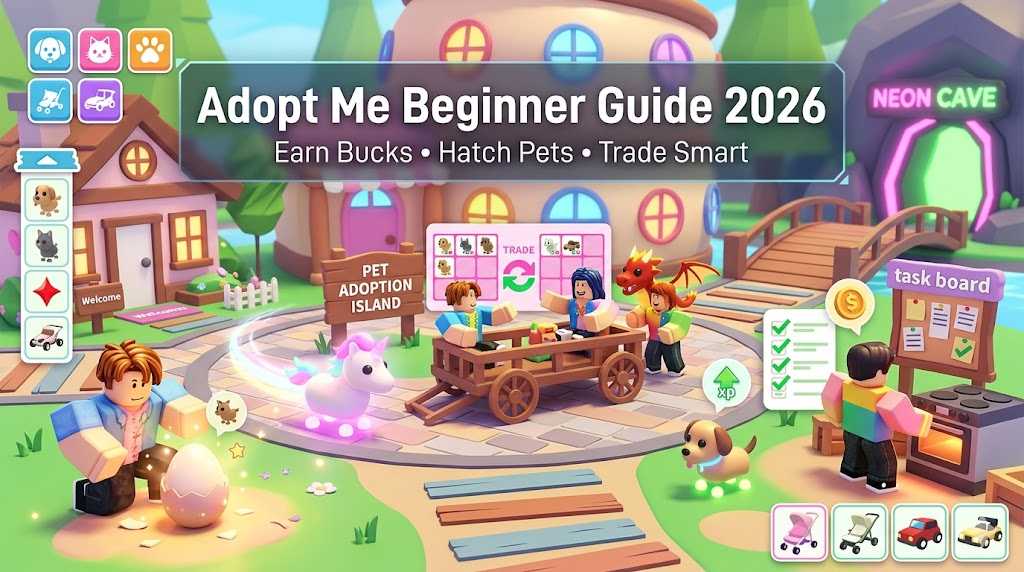
This Roblox Adopt Me beginner guide breaks down everything a new player needs to do in their first few hours: how to earn Bucks fast, which eggs to buy first, how trading actually works in 2026, and the most common scams to avoid. Follow it step-by-step and you’ll skip the early-game confusion that traps most beginners.
Skip the Grind With ImmortalBoost Roblox Services Want to enjoy Adopt Me without spending months grinding tasks, hatching dud eggs, and slowly trading up to your dream collection? ImmortalBoost Roblox Adopt me services can fast-track your account so you start with the pets, Bucks, and accessories most players take months to earn.
Roblox Adopt Me at a Glance
| Game Element | What You Need to Know |
|---|---|
| Genre | Pet adoption + roleplay + trading simulator |
| Platform | Roblox (PC, mobile, Xbox) |
| Currency | Bucks (also called AM or AMC) |
| Premium Currency | Robux (Roblox-wide) |
| Core Loop | Earn Bucks → Buy Eggs → Hatch & Age Pets → Trade Up |
| Pet Rarities | Common, Uncommon, Rare, Ultra-Rare, Legendary |
| Latest Major System | The Guide (released December 2025) |
| Trade License | Required for Ultra-Rare and Legendary trades |


Bottom line: Adopt Me looks simple on the surface but has surprising depth. Beginners who learn the trading system and pet aging mechanics early will progress 5x faster than players who just hatch eggs randomly.
What to Do in Your First Hour in Adopt Me
When you first spawn into Adopt Me, you’ll land in a small starter house with a free Starter Egg in your inventory. Here’s the optimal order of operations for a new player:
Step 1: Hatch Your Starter Egg
Go to the Nursery on Adoption Island (the central island marked on your GPS) and place the Starter Egg on a hatch pad. This gives you your first free pet without spending any Bucks.
Step 2: Open the Task Board and Start The Guide
Tap the Task Board to see your current daily tasks. Then open The Guide (icon on the right side of your screen) — this is the achievement system released in December 2025 that rewards Bucks and items for completing non-repeatable goals across three categories: Pets, Explore, and House.
The Guide essentially holds your hand through the entire early game. Working through it in order is the single best beginner strategy in 2026.
Step 3: Switch to Baby Role for Double Income
Use the Dress-Up Menu or Age-O-Matic to switch your character to the Baby role. As a Baby, you can complete personal tasks (eating, drinking, sleeping, bathing) in addition to pet tasks — effectively doubling your Bucks income compared to playing as a Parent.
Step 4: Claim the Daily Reward
Tap the Daily Reward icon as soon as you log in. The reward grows larger with each consecutive day, so logging in daily — even for just 60 seconds — compounds into significant Bucks over time.
Step 5: Customize Your Character (Free)
Most outfit, hairstyle, and accessory options in the customization catalog are free. Take a few minutes to dress up before grinding tasks — it’s a quick win and sets the tone for your account.
Pro Tip: Don’t spend Bucks on furniture, vehicles, or accessories in your first hour. Save every Buck for eggs and pet upgrades — those are the only items that hold or increase in trade value over time.
How to Earn Bucks Fast in Adopt Me
Bucks are the primary currency in Adopt Me, used to buy eggs, houses, vehicles, food, and accessories. Beginners earn Bucks slowly by default, but the right activity mix can dramatically speed up income.
Bucks Earning Methods (Ranked by Efficiency)
| Method | Speed | Effort | Best For |
|---|---|---|---|
| Pet Tasks (Baby + Pet combo) | Fast | Low | All beginners — your bread and butter |
| Daily Login Reward | Instant | Zero | Everyone — never skip this |
| The Guide Achievements | Fast | Medium | New players completing the system |
| Mini-Games (Seasonal Events) | Medium | Medium | Limited-time bonus income |
| Jobs (Pizza Shop, Salon, Hospital, School) | Medium | Medium | Players who like roleplay |
| 3x Bucks Bonus Tasks | Very Fast | Low | When the bonus icon appears — always prioritize it |
| Trading Up | Very Fast | High | Advanced players with starter inventories |
The Single Best Beginner Strategy
Run as a Baby with one active pet at all times. This stacks personal tasks (yours) with pet tasks (your pet’s), so you complete two task chains simultaneously. When the 3x Bucks bonus icon appears on a task, drop everything and complete that task first — it’s a free triple payout.
Don’t Waste Bucks On:
- Robux-priced furniture and accessories (the Ice Cream Truck, food stands, decorations) — these don’t hold trade value
- Cheap eggs in bulk — better to save for one Royal Egg than buy ten Cracked Eggs
- VIP membership — most veterans rate it as low value for new players
Pet Rarity System Explained
Pets are the heart of Adopt Me. Every pet falls into one of five rarity tiers, and rarity determines hatch chance, trade value, and long-term importance.
Pet Rarity Tiers and What They Mean
| Rarity | Hatch Chance | Trade Value | Examples (varies by event) |
|---|---|---|---|
| Common | High | Low | Cat, Dog, Otter, Buffalo |
| Uncommon | Moderate | Low–Medium | Chocolate Labrador, Puma, Snow Cat |
| Rare | Lower | Medium | Beaver, Rabbit, Bunny, Wild Boar |
| Ultra-Rare | Low | High | Llama, Hyena, Crocodile, Elephant |
| Legendary | Very Low | Very High | Unicorn, Dragon, Griffin, Shadow Dragon |
Where to Get Eggs
All eggs are purchased from the Nursery at varying Buck costs. More expensive eggs have higher chances at Rare, Ultra-Rare, and Legendary outcomes — but Legendary hatches are still rare even from the priciest egg.
Event and Limited Pets
Pets released during seasonal events (Halloween, Winter, Easter, Mythic events) often skyrocket in value once the event ends and they leave the game. Holding event pets long-term is the single best passive trading strategy in Adopt Me.
Important: Common and Uncommon pets are not “bad.” They’re how you learn task management, aging, and trading. Don’t rush to dump them — even a fully-grown Common pet has trade utility.
How Aging Up and Neon Pets Work
Pets in Adopt Me grow through six aging stages by completing tasks (feeding, sleeping, walking, bathing, playing). Each completed task ages the pet slightly toward the next stage.
The Six Pet Growth Stages
- Newborn
- Junior
- Pre-Teen
- Teen
- Post-Teen
- Full Grown
Neon and Mega Neon Pets
Once you have four Full Grown pets of the same type, you can combine them in the Neon Cave beneath the bridge on Adoption Island to create a Neon Pet — a glowing, color-shifting version that’s significantly more valuable.
Combining four Full Grown Neons of the same type creates a Mega Neon Pet — the highest tier of pet customization in the game, with full rainbow cycling effects. Mega Neon Legendaries are among the most valuable items in the entire trading economy.
Beginner Reality Check: Making a single Neon Legendary requires raising 4 Legendary pets to full growth — that’s hundreds of completed tasks. Mega Neon Legendaries require 16 Legendary pets total. This is multi-week to multi-month work for casual players.
Trading Guide for Beginners
Trading is the economic backbone of Adopt Me. It’s how players move from Common starter pets to Legendary collections without endlessly hatching eggs.
Get Your Trade License First
Before you can trade Ultra-Rare or Legendary items, you must pass the Trade License test at the Safety Hub. The test asks short questions about whether sample trades are fair — pass it once and you unlock full trading access permanently.
How Trading Works in 2026
- The trade window allows up to 18 items per trade (up from 9 after the May 2023 update)
- Both players must agree before items move
- Trade chat notifications let you track every change made during the negotiation
- The Trade Book at the Safety Hub stores your trade history
Beginner Trading Rules
- Look up pet values before any major trade. Search “Adopt Me Value List 2026” — community sites track current trade values.
- Offer balanced bundles: e.g., 2 Ultra-Rares ≈ 1 lower-tier Legendary.
- Never accept “trust trades” — anyone who says “I’ll give you the pet back, just trade me first” is scamming you.
- Save event pets long-term — vintage value grows after pets leave the game.
- Be patient — first offers are usually lowballs. Counter-offer or walk away.
How to Avoid Scams in Adopt Me
Scammers target new players relentlessly. Most lose their best pets in the first week without these protections.
Common Scams to Watch For
- Trust trades — “Trade me first, I’ll give it back” — never do this
- Fake Neon swaps — Players quickly switching a real Neon for a non-Neon mid-trade
- Fake Mega Neons — Some pets look Mega Neon but aren’t; double-check the rarity tag
- Robux-for-pet offers in chat — Always against Roblox ToS and almost always scams
- Off-platform trades — Discord/external “deals” have zero protection
- Fake “developer” or “admin” messages — Real admins never DM trade offers
The One Rule That Stops 90% of Scams
Only trade through the official in-game trade window. Every other trading method — chat agreements, off-platform handoffs, “I’ll send it later” — is unsafe.
Houses, Vehicles, and Customization
Beyond pets, Adopt Me lets you build a personal home, drive vehicles, and customize your character. These are mostly for fun and roleplay — they don’t directly help you progress, but they make the game more enjoyable.
Houses
You start with a small free home and can upgrade to larger houses as you earn Bucks. Edit walls, floors, and furniture from the Edit menu while inside the home. A well-designed house with a bed, shower, and food fountain lets you complete personal tasks at home without traveling — saving time on Bucks farming.
Vehicles and Strollers
Vehicles speed up movement around the map and strollers can transport pets to complete the “Ride” task. Most beginners are fine with the free starter options for the first few weeks.
Character Customization
Outfits, hairstyles, accessories, and skin tones are largely free. Some premium cosmetics cost Bucks or Robux. Beginners should keep customization free until they have a comfortable Bucks reserve.
Final Tips for New Adopt Me Players
- Log in daily — even for 60 seconds. The Daily Reward streak compounds.
- Always run as a Baby with one active pet for max Bucks.
- Complete The Guide — it’s the best built-in beginner roadmap.
- Save Bucks for eggs, not furniture or vehicles.
- Pass the Trade License test as soon as you can.
- Look up pet values before any high-stakes trade.
- Hold event pets long-term — they appreciate after events end.
- Never trust “trust trades” — they are always scams.
The most important rule in Adopt Me is patience. The players with massive collections didn’t get there by hatching one expensive egg — they got there by stacking small wins, smart trades, and event pets over weeks and months.
Frequently Asked Questions
Do I need Robux to play Adopt Me?
No. Adopt Me is completely free to play with no Robux required. You can earn every type of pet, house, and item using only Bucks earned in-game. Robux unlocks cosmetic shortcuts but is not necessary for progression.
Can I trade pets without a Trade License?
You can trade Common, Uncommon, and Rare items without a license. Ultra-Rare and Legendary trades require a Trade License, which you earn by passing a short test at the Safety Hub.
How do Neon pets work in Adopt Me?
Combine four Full Grown pets of the same type at the Neon Cave to create a Neon Pet. Combine four Full Grown Neons of the same type to create a Mega Neon Pet. Both forms are significantly more valuable in trades than regular pets.
What is the maximum number of items in an Adopt Me trade?
The current trade limit is 18 items per trade, up from 9 before the May 2023 update.